


Brady Snyder / Android Authority
The Google Home Speaker is here, and it’s now Google’s only smart speaker. With the Nest Mini and Nest Audio discontinued, everyone interested in a smart speaker for Google Home will be considering the new $99 orb.
While this is Google’s first smart speaker purpose-built for Gemini, the Home Speaker might not satisfy those craving a Nest Audio successor. The new speaker is half the size of the Nest Audio, and that affects the Home Speaker’s sound quality.
Specifically, the Home Speaker’s sound sits right between the Nest Mini and the Nest Audio. If you want to upgrade to a Home Speaker to get the newer processor, dedicated NPU, and the best Gemini for Home experience, you can do so without sacrificing audio performance. I changed one setting, and now my Home Speaker always plays music through the better speakers in my home.
Is the Google Home Speaker’s audio hardware good enough?
0 votes
Google’s Home Speaker has a sound quality problem

Brady Snyder / Android Authority
Smart speakers typically trade audio quality in exchange for intelligent features and affordability. Google’s Nest Mini is a great example of this. It was a $50 puck with mediocre sound that brought Google Assistant to every room in your home. You weren’t buying a Nest Mini as a high-quality speaker; you were buying it for its smarts. The Google Home Speaker sounds better than the Nest Mini — it has an audio driver that’s twice the size — but it’s a far cry from the Nest Audio or Google Home Max.
Looking at the Google Home Speaker’s hardware, it’s clear that the device is closer to the Nest Mini than the Nest Audio on the spectrum. It has a full-range 58mm driver, which means one 360-degree driver is responsible for producing as much of the frequency range as possible. While the Nest Audio has a separate 75mm woofer and 19mm tweeter, the Home Speaker uses a single driver to handle everything, just like the Nest Mini.
To be clear, the Home Speaker doesn’t sound bad. It gets louder than other smart speakers in its class, like the HomePod Mini. You just don’t get the same level of detail from the Home Speaker as you do from higher-end Google audio products. If you want to use the Home Speaker’s quad-core A55 chip and dedicated neural processing unit for smart home assistance, you can set another Google Cast-enabled audio device as the Home Speaker’s default output. This could be another Nest speaker or display, a Chromecast or Google TV Streamer, or a third-party TV, soundbar, speaker, or receiver.
How to change your Home Speaker’s default audio output

Brady Snyder / Android Authority
I loved the convenience of asking the Google Home Speaker to stream music using my Apple Music subscription, but I didn’t love the sound quality. Then, I realized my JBL MA710 receiver supports Google Home and Google Cast. I asked the Home Speaker to stream music to the receiver, and it suddenly started playing through my surround-sound system. The experience was so smooth that I set the JBL MA710 and my floor speakers as the default audio output for the Home Speaker.
It’s easier than you think. Open the Google Home app, find your Home Speaker, then tap the settings gear. Here, you’ll find all the settings and information for your smart speaker. Tap the Audio tab and tap Default music speaker. The app will show all the eligible Google Cast devices connected to your Google account and home network that can be set as the default for music playback.
In my case, I could choose between the JBL receiver, Home Speaker, Nest Hub, or Nest Hub Max in my home. Depending on your devices, you may see different options. Tap the speaker you want to use to change the default setting. The change was instant — any time I asked the Home Speaker to play music, it came through my giant floor speakers instead of the tiny full-range driver inside the smart speaker.

Brady Snyder / Android Authority
Of course, the sound quality was better, but it also saved me time. I didn’t have to open the Apple Music app on my phone, tap the Cast icon, and manually stream music to the JBL receiver. I also didn’t have to clarify that I wanted to play music on the JBL receiver in every Home Speaker voice command. After making the change, it felt like my speaker system got smart.
Google has long let users set a default music speaker for its smart devices, and you can even set a default TV or add speakers to device groups. The possibilities are particularly exciting for Home Speaker users, though. Say you have a Nest Audio or Google Home Max but want a smarter assistant — you can buy the Home Speaker for its superb Gemini performance and always stream music through your better-sounding speakers. It’s up to you to decide whether Gemini improvements alone are worth the $99 upgrade to the Home Speaker, but I appreciate that this option is there.
I get the best of both worlds with this setup

Brady Snyder / Android Authority
I listen to heaps of music, spanning physical formats, digital files, and streaming services. Now that I’ve set up my Home Speaker review unit to always play out of my JBL speaker system, I can request songs from my couch without sacrificing audio quality. I get better responses than other Google speakers and displays, while also enjoying higher-quality playback. It’s the best of both worlds.
While you probably don’t have my exact setup at home, there’s a good chance you have a Google Cast speaker or accessory with better sound than the Home Speaker. I couldn’t possibly list them all, because Google Cast is supported by so many accessories across all price points. It could be a Nest speaker, a Chromecast dongle, or a TV. The possibilities are almost endless, and they’re the key to solving the Home Speaker’s audio problem.
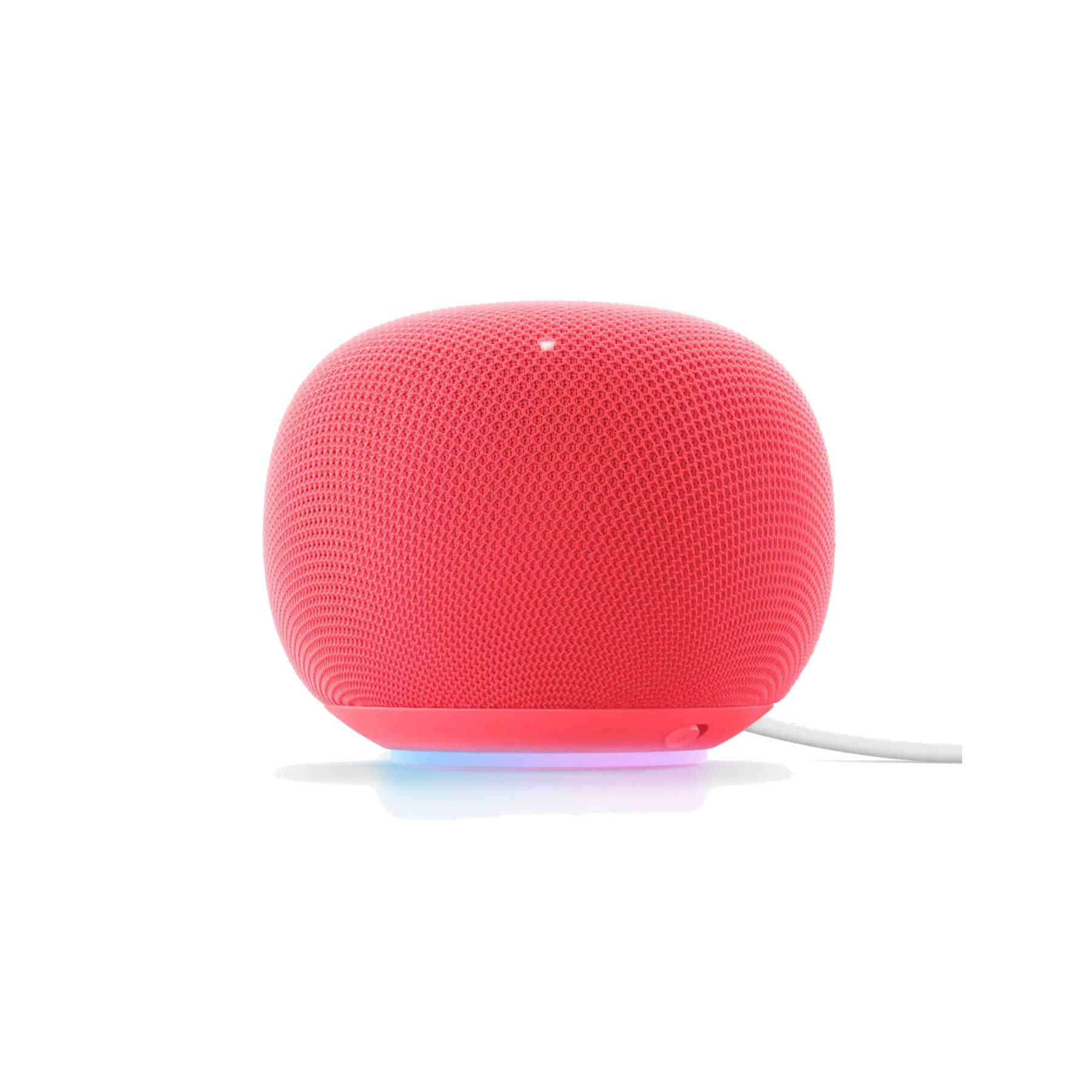
The Google Home Speaker is Google’s first smart speaker made with Gemini in mind. Along with its AI smarts, it packs a 58mm driver inside a small, compact body for surprisingly loud audio. If you live in the Google Home ecosystem, the Home Speaker is made just for you.
Thank you for being part of our community. Read our Comment Policy before posting.