


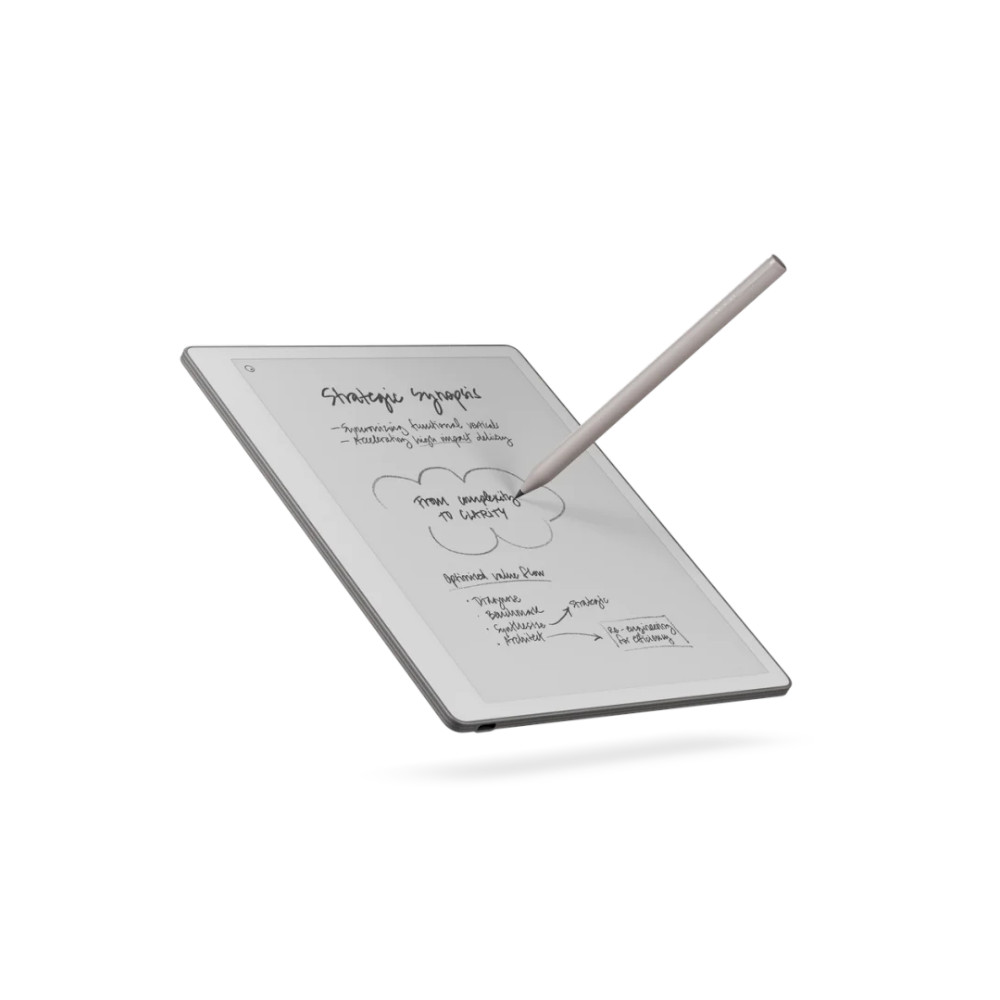
The reMarkable Paper Pure strips away distractions in favor of a focused writing experience. With lightweight hardware, a 10.3-inch display, excellent stylus input, and streamlined software, it lands as a fantastic digital notebook.
As a kid, my favorite part of back-to-school shopping was picking out notebooks for the new year. Back then, they were color-coded by subject (according to the system in my head), and equipped with obnoxious spirals that would almost certainly get tangled in my backpack. It’s been a long time since I’ve shopped a school supply list, but my love of notebooks hasn’t gone anywhere.
That’s probably why the reMarkable Paper Pure ($399 at reMarkable) won me over so quickly. While many E-Ink tablets try to pack in productivity features, and Amazon’s Kindles keep adding limitations and AI tools, the Paper Pure is refreshingly committed to being exactly one thing: a really good digital notebook. After more than a week with the device, I’m in no rush to take it back out of my tech rotation.
More notebook than tablet

Kaitlyn Cimino / Android Authority
The Paper Pure doesn’t look like most modern tablets. At 360g and just 6mm thick, the device is exceptionally light. Its asymmetrical bezel gives me somewhere to hold the tablet without constantly covering the screen in fingerprints.
The Paper Pure is exceptionally light and really feels like carrying around a notebook.
The 10.3-inch monochrome Canvas display reinforces the feeling that I’m carrying around a notebook, not a tablet. There’s also no front light, which is one of the bolder choices reMarkable made with the device. Without another lighting layer sitting above the display, the screen is cleaner, and the writing experience is more responsive. On the other hand, I need a lamp (or in my case, a head lamp) to use this comfortably at night, just like a pen and paper journal session.

Kaitlyn Cimino / Android Authority
The device is also strictly grayscale, which stands out in contrast to the increasingly colorful e-ink market. Text looks crisp, and the screen retains the bright, paper-like look that monochrome e-ink still does best. I didn’t miss color nearly as much as I thought I would, which is shocking considering everything from my brain to my wardrobe is organized by ROYGBIV.
Internally, the Paper Pure runs on a 1.7GHz dual-core Cortex-A55 processor with 2GB of RAM and 32GB of storage. None of that is especially impressive by tablet standards, but it doesn’t need to be. The interface is fast, and the whole device feels focused in a way a lot of modern tablets don’t anymore. It also packs a 3,820 mAh battery that lasts up to three weeks on a charge, and I’ve yet to have to think about it.
Writing is still the whole point

Kaitlyn Cimino / Android Authority
Most importantly, writing on the Paper Pure is good enough that I started looking for excuses to use it. The textured display gives the stylus enough resistance without overdoing the paper gimmick, and the low-latency input keeps handwriting natural. I did miss compatibility with the brand’s Type Folio, but once I mentally committed to my untidy penmanship, the simpler notebook-forward setup felt nostalgic.
The writing experience itself is responsive and smooth with a comfortable stylus.
That feeling is also grounded in the simplicity of the reMarkable’s base software. I never got caught up digging through settings or tweaking the interface. It’s a low bar, but streamlining is surprisingly uncommon once you start using more feature-heavy e-ink tablets.

Kaitlyn Cimino / Android Authority
Since the Paper Pure is less intimidating than a lot of its competitors, I found myself using it more casually. Over the course of this review, the Pure took residence on my counter just like my nutcracker notepad that comes out at Christmas time. I used the device for everything from jotting down quick grocery lists to recording details while on the phone with a frustrating customer service rep. And to write notes to my partner while he was on the phone, reminding him to ask for the gossip I wanted. I scribbled random, profound thoughts throughout the day that turned out to be not very profound, and kept notes during Zoom briefings. I also used it to sketch nonsense during repetitive parts of said meetings.
In other words, the Pure dropped into my routine as seamlessly as a notebook because it behaves more like an old-fashioned writing pad than a productivity powerhouse. It’s not loaded with apps or a bookstore, so I’m not tempted to deep dive into distractions. Compared to the brand’s smaller Move, the larger display gives me enough room to comfortably write notes and review documents, and the Marker Plus feels even better than writing with a real pen. The stylus itself feels great in hand (probably my favorite of any I’ve tested), and I love a built-in eraser. I was moderately disappointed by the convert to text feature, which gets wonky when it comes to formatting. When I wrote a to-do list, for example, the template disappeared during conversion, and my tasks ended up mixed together.

Kaitlyn Cimino / Android Authority
It’s also worth noting that the Paper Pure isn’t completely stripped bare. ReMarkable still includes useful organizational tools like folders, tags, templates, document markup, and cloud syncing. An optional $3.99/month Connect subscription adds features like handwriting search, Google Calendar, Microsoft Outlook meeting integrations, AI-generated summaries, and deeper workflow tools. For work that’s more demanding than doodling dinosaur breeds, I appreciate the ability to annotate PDFs and brainstorm directly onto documents. All of these tools are there when I need them, but they rarely compete for my attention.
A focused device

Kaitlyn Cimino / Android Authority
The biggest caveat for this device is that it is absolutely not for everyone. If your goal is to replace your traditional tablet or read a bunch of e-books, there are objectively better alternatives. Options from BOOX are dramatically more flexible thanks to Android apps and broader file support. The Kindle lineup offers much better pure reading devices, with the Kindle Scribe adding in stylus support for note-taking.
The biggest caveat of an otherwise great review is that this is not the device for everyone.
You can read books on the Paper Pure, but the device is much more document-focused than reader-focused. Annotating article drafts and reviewing media kit documents all work great. But, as mentioned, there’s no built-in bookstore or developed ecosystem for reading. The lack of a front light is also a real compromise, even if I ended up appreciating the cleaner display because of it. I loved the paper-like look during the day, but there were also a few times I swapped to a different device at night rather than parking under a lamp.

Kaitlyn Cimino / Android Authority
Then there’s the pricing. The tablet itself starts at $399, but the accessories push things upward quickly. The Marker Plus stylus feels almost essential, folio cases aren’t cheap, and the optional $3.99/month Connect subscription adds another ongoing cost if you want features like handwriting search, AI summaries, and calendar integrations. I’m always going to hesitate to add another subscription to my embarrassingly long list of monthly charges.
I will say, though, I love the Pure’s folio case. The padded wraparound design makes the Paper Pure feel genuinely protected, like the egg I wrapped in 2 feet of bubble wrap for a science fair in elementary school. The deep ocean blue color is especially classy. It’s also not cheap at $69. It’s definitely best to save money with the $449 bundle, which includes the Sleeve Folio and a Marker Plus (normally $129).
ReMarkable Paper Pure review verdict: Should you buy it?

Kaitlyn Cimino / Android Authority
I have no business pushing my cart down the school supply aisle anymore, but the Paper Pure scratched a similar itch. There’s something satisfying about a tool that exists for one specific purpose and does it well. For more than a week, I’d pick the tablet up, write something down, and toss it back on my counter, desk, bedside table, or right into my bag, no paper cuts involved. Instead of grabbing my phone to type things into the notes app and inevitably getting distracted, I started writing things down more often, and that’s a luxury I’d forgotten about.
If what you’re after is a streamlined, distraction-free digital notebook, the Paper Pure is a great find.
There are more capable options available, but while many brands keep trying to push more complicated devices, the reMarkable Paper Pure stands out by being refreshingly simple. If you want a dedicated e-reader with Amazon’s built-in bookstore and reading ecosystem, you’ll be better off with the Kindle Scribe ($629.99 at Amazon). If you want maximum flexibility, apps, and customization, a tablet from BOOX makes more sense. The Go 10.3 Gen II ($419.99 at Amazon) has a similarly sized monochrome display and Play Store access, and the Lumi model ($449.99 at Amazon) even adds a front light.
Compared to the rest of reMarkable’s lineup, the Pure feels like the cleanest expression of reMarkable’s philosophy. The Move ($499 at Amazon) still makes more sense if portability is your top priority, while the Paper Pro ($629 at Amazon) is the most ambitious device from the company.
Excellent writing experience • Focused and distraction-free • Thin, lightweight hardware
MSRP: $399.00
The reMarkable Paper Pure strips away distractions in favor of a focused writing experience. With lightweight hardware, a 10.3-inch display, excellent stylus input, and streamlined software, it lands as a fantastic digital notebook.
Positives
- Excellent writing experience
- Focused and distraction-free
- Thin, lightweight hardware
- Strong battery life
- Useful productivity tools when needed
- Great folio case
Cons
- Expensive with expensive accessories
- No front light
- Limited reading ecosystem
- No Type Folio support
- Subscription-gated features
Thank you for being part of our community. Read our Comment Policy before posting.