


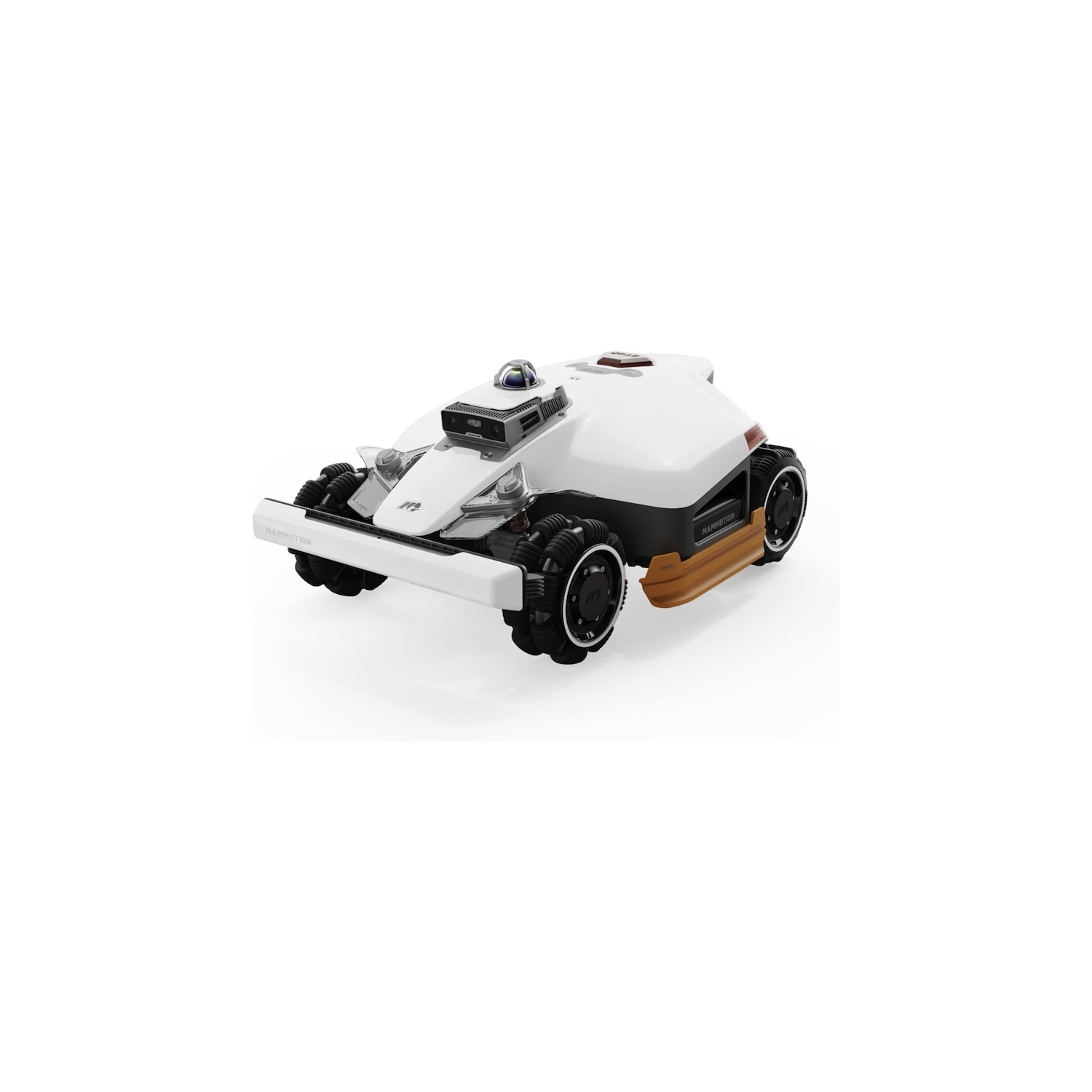
If you want a robot lawn mower that you can set and forget while trusting it to do right by your yard, the Mammotion LUBA 3 AWD is a phenomenal choice. With easy setup, excellent mowing performance, good battery life, and a solid companion app, it’s got just about everything you could ask for.
My partner and I bought our first house this year, and after 10 years of apartment living, there’s a lot we’ve had to adjust to — a bigger space to keep clean, more utility bills to manage, and frantically looking for someone to replace rusted bathroom pipes. It’s also the first time we’ve been responsible for maintaining our outdoor space, which, as we’ve learned, is easier said than done.
With so much to do while we both work full-time jobs, I was intrigued when my boss asked me to review the Mammotion LUBA 3 AWD (thank you, Ollie [No, thank you! – ed.]). The idea of having a robot mow my lawn sounded like a dream come true, and while I’d heard of robot lawn mowers, I still wasn’t sure what to expect. If my past experiences with robot vacuums were anything to go by, it wouldn’t be great.
However, after living with the Mammotion LUBA 3 AWD for a little over a month, I honestly can’t imagine homeownership without it.
Setting up the Mammotion LUBA 3 AWD

Joe Maring / Android Authority
Mammotion ships the LUBA 3 AWD in a big cardboard box (which I recommend moving with two people). After removing the LUBA 3 AWD and its accompanying accessory boxes from the main shipping container, the setup is actually quite simple.
The first step is to attach the front bumper, which easily clicks into place and is secured with two included Phillips screws. You then flip the mower onto its back (you can use the included shipping styrofoam to safely do this) to screw in the two side bumpers. Flip the LUBA 3 back onto its wheels, insert the security key into the back (which it can’t run without), and that’s it for the mower itself.

Joe Maring / Android Authority
Next, you need to install the charging/docking station. Mammotion recommends placing it outside on your lawn and includes stakes to secure it, but I don’t have a good place in my yard to do so. Instead, I just put the charging station in my garage near the garage door. You’re technically supposed to use expansion bolts (not included) if the charging station is on concrete, but mine has worked just fine without them.
With previous Mammotion robot mowers, the next step is to install an RTK antenna—an essential component that ensures your mower has a pinpoint satellite view of your yard. But unlike those older models, the LUBA 3 AWD connects to Mammotion’s iNavi network, giving you satellite connectivity baked right into the mower, no RTK required. This really elevates the plug-and-play nature of the LUBA 3 AWD, and for someone like me who doesn’t want to mess with outdoor wires and cable management, I don’t think I’d buy a robot lawn mower without this capability.
I don’t think I’d buy a robot lawn mower without built-in satellite connectivity.
You still get an RTK antenna included with the LUBA 3 AWD if you don’t have good coverage from the iNavi network, but for where I live in Southwest Michigan, it’s worked flawlessly. You can view the full coverage map on Mammotion’s website.
The final step for the LUBA 3 AWD is to map your yard. Mammotion offers an auto-mapping feature, but since my yard is divided into a few distinct sections with a handful of obstacles, I opted for manual mapping.

Joe Maring / Android Authority
The whole process is pretty straightforward: you use the Mammotion app on your phone to control the LUBA 3 AWD and drive it around the perimeter of your lawn. I initially mapped my entire yard as one big area, but quickly realized it made much more sense to map each section as its own yard. From there, you create channels/connections between each yard section, can define no-go zones, and map obstacles you want the LUBA 3 AWD to avoid.
From the time I took the LUBA 3 out of the box to having my yard properly mapped and ready to go, the whole process took about two hours — and that included me remapping my yard and taking time to do some capable management with the charging station.
What it’s like living with a robot lawn mower

Joe Maring / Android Authority
So that’s setting up the LUBA 3 AWD, but what’s it like to actually use the mower? Or, more accurately, what’s it like living with a robot that mows the lawn for you? As it turns out, it’s pretty great.
I’ve run the LUBA 3 six times over the month I’ve had it, and for a total lawn area of about 655 yards (or a little over 0.13 acres), it takes the LUBA 3 around two and a half hours from start to finish to complete a mowing job. It is slower than using a push mower (I could probably do the same amount of work in 30-40 minutes), but it’s still extra time I have for anything else.
More than the time savings, it also lets me be much more flexible about when I mow the yard. I wouldn’t take 40 minutes off during the afternoon on a workday to mow my lawn, but I can easily tell the LUBA 3 AWD to do so. Then, come that evening, all I have to do is some weed whacking to get my yard in tiptop shape.

Joe Maring / Android Authority
As for the quality of the LUBA 3 AWD’s mowing, I don’t have any complaints. The cut lines are straight and uniform, the mower doesn’t leave behind large piles of grass clippings, and it has avoided large obstacles without fault.
Smaller obstacles, however, have been slightly hit-or-miss. My yard is currently riddled with utility flags, and while the LUBA 3 AWD avoids most of them, there are a couple it’s completely torn to pieces. I’m not surprised, given how small the flags are, but it’s still worth noting.
Otherwise, the iNavi satellite positioning, dual cameras, and 360-degree LiDAR sensor all appear to work in tandem extremely well. There was a particularly cool moment where the LUBA 3 AWD missed a patch of dandelions, but on its next pass through the yard, it noticed this, repositioned itself, and corrected its mistake.
What else has been good about the LUBA 3 AWD? The mower is incredibly quiet, to the point where I can be outside while it mows and barely hear it running. The rain detection feature also works very well. It started raining one evening during a mowing job, and within just a couple of minutes, the LUBA 3 AWD headed back to the charging station all on its own. And even after a month of use, the blades and underside of the mower are surprisingly clean and free of any clumped grass clippings.
The only downside? My cat is terrified of the LUBA when it gets too close to the living room window. Pet owners, be warned.
Mammotion’s app ties it all together

Joe Maring / Android Authority
While you can technically start mowing jobs using the physical buttons on the LUBA 3 AWD, you’ll most likely do so from the Mammotion app. That would be a problem if the app were unreliable and frustrating to use, but thankfully, it’s been the opposite. Whether I’m starting a mowing job, checking the LUBA’s charge status, or changing any settings, the app has never failed to do exactly what I wanted it to. Bogdan ran into some app connectivity issues when he reviewed the Mammotion YUKA Mini 800 last year, but I’ve not experienced anything of the sort.
I do agree with Bogdan that Mammotion’s application isn’t the prettiest to look at — or rather, that it didn’t used to be. The Mammotion app received a pretty significant update in late May with a much more functional home screen, a cleaner UI, and more accessible shortcuts. It’s a substantial upgrade over the previous version, and it’s made using the app much better than when I first got the LUBA 3.
As for what you can do with Mammotion’s app, it’s a lot. While I prefer to manually start mowing jobs thanks to Michigan’s constantly unpredictable spring weather, you can use the app to schedule mowing times if you want to completely automate your LUBA 3. The app is also where you’ll find mowing reports and all of your charging settings — including custom max charge levels, off-peak charging, and more.
And that’s just scratching the surface. The app lets you change the LUBA 3’s route settings, configure wildlife safety features, adjust blade speed, and more. There’s a lot to dig into, and even so, I think Mammotion does a good job of organizing everything so that the app isn’t intimidating or difficult to use. All of your important toggles are right on the home screen, but if you want to dig deeper, those extra options are just a couple of taps away.
Should you buy the Mammotion LUBA 3 AWD?

Joe Maring / Android Authority
That brings us to the $2,800 question: Should you buy the Mammotion LUBA 3 AWD? Is it really worth that much money?
Before getting the LUBA 3 AWD, my plan was to buy a battery-powered push mower for around $350. I imagine it would have worked just fine, as would an even cheaper gas-powered mower. Compared to something like that, the value proposition of the LUBA 3 AWD seems hard to justify. However, comparing a robot mower to a push mower isn’t exactly fair.
Would a push mower have been a lot cheaper? Absolutely. Would it cut my grass just fine? Probably! But I would then have to plan my mowing around times I’m available to go out and mow, whereas with the LUBA 3 AWD, that’s not something I have to worry about. As a new homeowner dealing with seemingly endless side projects that keep popping up, that’s legitimately game-changing.

Joe Maring / Android Authority
Of course, the Mammotion LUBA 3 AWD isn’t your only option for a robot mower. The Dreame A3 AWD Pro ($2599.99 at Dreame Tech) is the closest competition, and it matches the LUBA 3 AWD almost across the board. It’s well worth considering, but during testing, we ran into issues with its mapping performance and the companion app. There are other options like the Anker eufy E15 ($1599.99 at Amazon) that don’t have quite as much horsepower or features, but still give you a robot mowing experience for considerably less money. And if you like the idea of the LUBA 3 AWD but have a smaller yard, the LUBA mini 2 AWD is a solid option, too.
The LUBA 3 AWD has made my life easier since I’ve had it, and for that, I really do think it’s worth it.
The point is, there are numerous options for a robot lawn mower, many of which are very good. But if you have around $3,000 to spend and want one with good mowing performance, reliable software, and a true plug-and-play design, the Mammotion LUBA 3 AWD has checked every box for me.
Is it expensive? Yes. Unnecessary? Maybe. But the LUBA 3 AWD has also made my life easier since I’ve had it, and for that, I really do think it’s worth it.
Great cutting performance • No RTK antenna required • Solid app and connectivity
MSRP: $2,799.00
The Mammotion LUBA 3 AWD is a premium wire-free robotic lawn mower that combines LiDAR, RTK positioning, and AI vision for precise autonomous mowing, alongside all-wheel drive capable of tackling slopes up to 80%, dual cutting discs, smart multi-zone mapping, and advanced obstacle avoidance for large, complex gardens.
Positives
- Easy, straightforward setup
- Good companion app
- Doesn’t require an RTK antenna
- Very quiet
- Excellent cut quality
Cons
- Expensive
- Some obstacle avoidance funkiness
Thank you for being part of our community. Read our Comment Policy before posting.